
3 Improvements • 5 Fixes
✨ Improvements
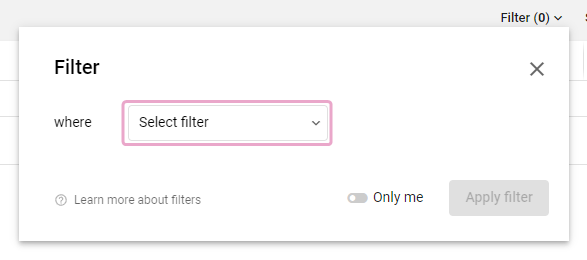
- Filter dialog updated: How you can open the filter menu has been improved - it now takes one click less to get to the target 🥰 In addition, a central Select Filter button now provides a clear path to create a filter.
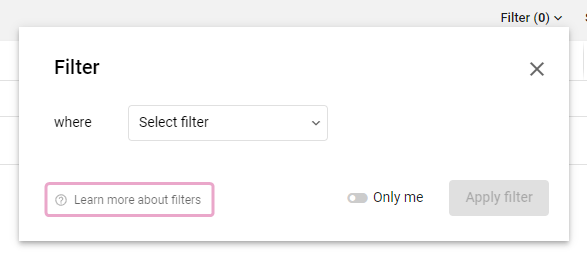
Learn more about filters ↗️ - Help link directly in the filter dialog: A button in the filter dialog leads directly to the help center article to learn how filters work (Using filters).
- Quick filter
Only mein filter dialog:The
Only mefilter, which was previously only placed in the list view at the far right edge of the search field, now also exists in the filter dialog.In addition to the basic function of always displaying only the tasks to which you are assigned, the button can now also be used in shared views. If another member opens a view with the
Only mefilter active, his/her view will be filtered to his/her tasks! 🤯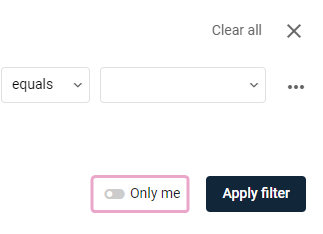
🐞 Fixes
- Fixed: The
Only Mefilter was temporarily not functional. The filter works as usual again, but has been improved with new features (see above). - Fixed: Several translation errors in the EN version fixed.
- Fixed: Subsequent editing of existing time entries in the
Time reportsorMy timesview did not work under certain circumstances. - Fixed: In the global time entry dialog, the dialog did not keep an already made selection for Project and Task when switching between the
Timer/Manual/Rangetabs. - Fixed: Alerts for saving changes when changing the view in the multiple time tracking (switching between day and week, switching to another day or to another week) were missing. Changes were simply discarded until now.
Comments
0 comments
Please sign in to leave a comment.